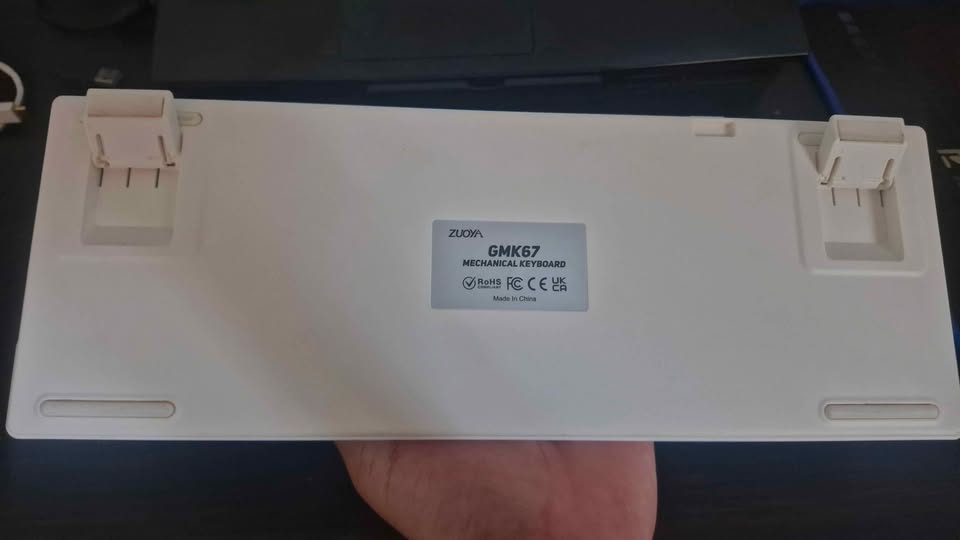
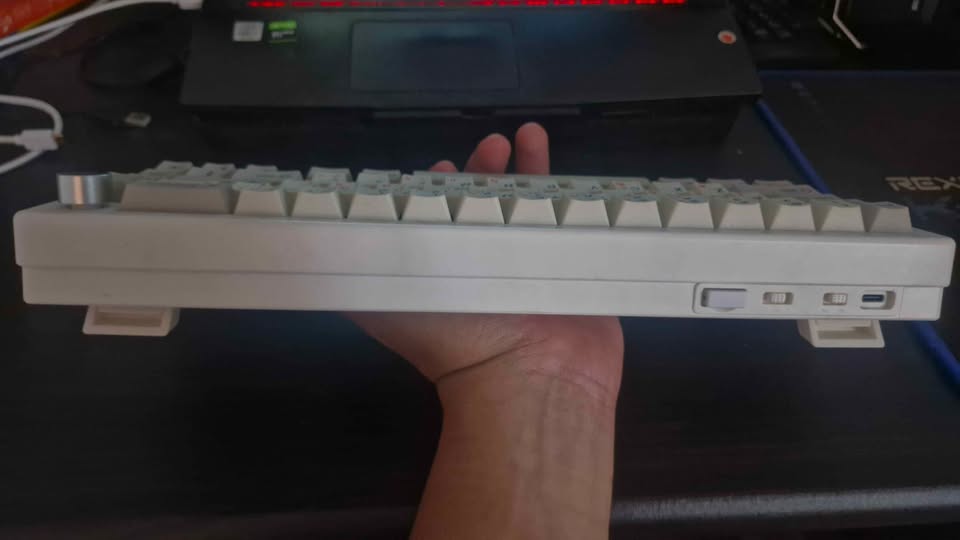
- Zuoya gmk67 barebone (tanpa switch & keycaps) \
- Bisa wireless/wired
- Kelengkapan komplit
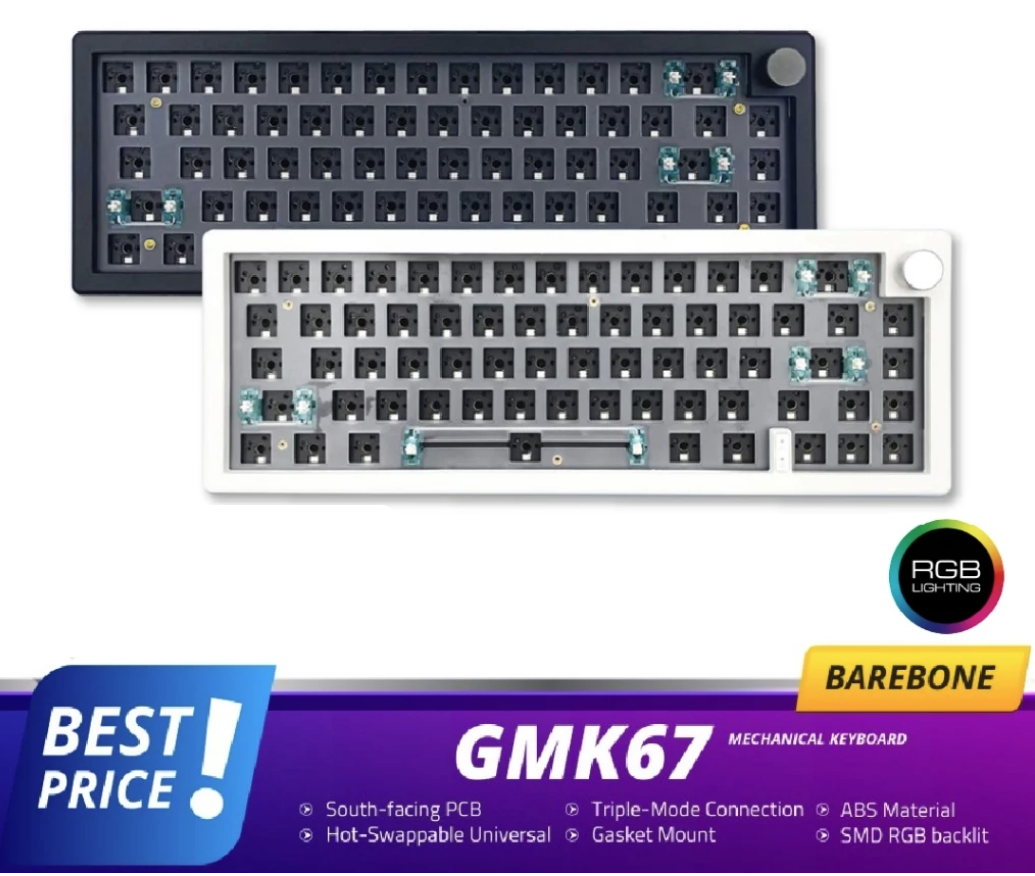
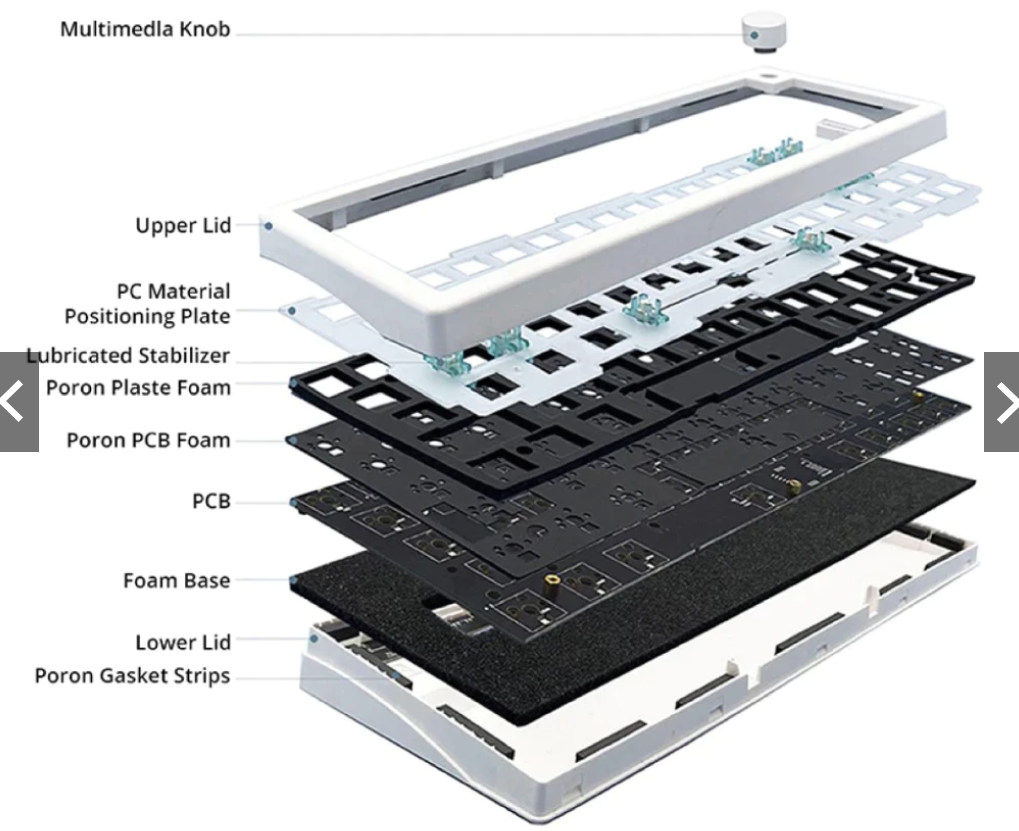
Beberapa detail penting:
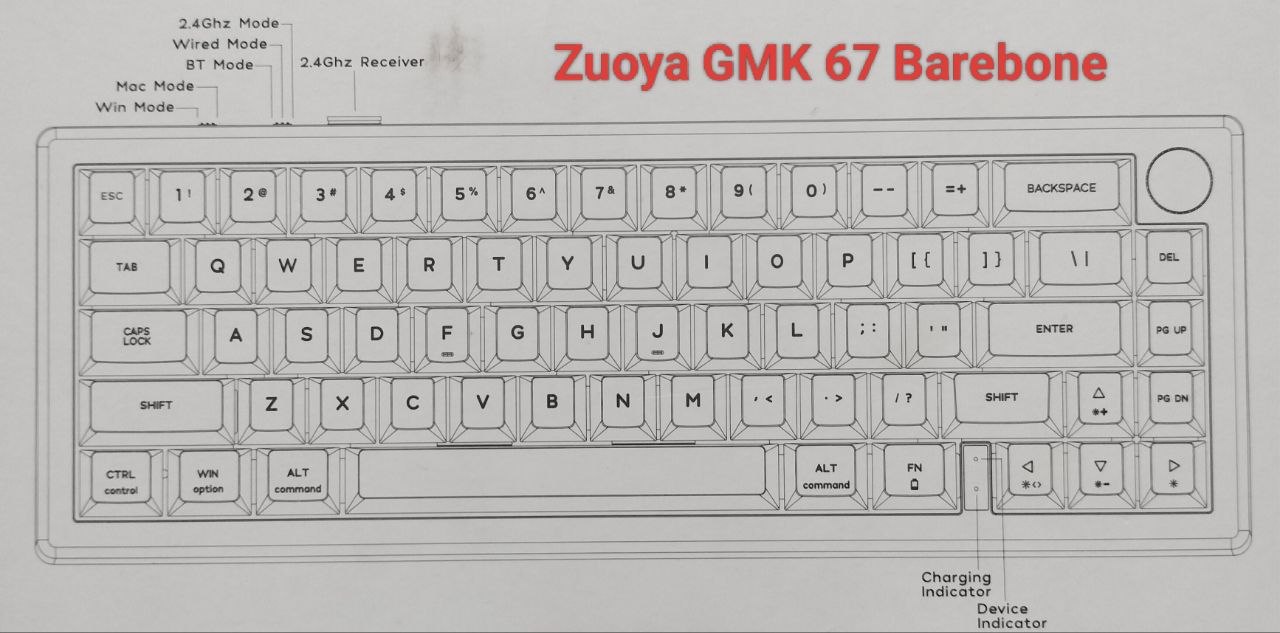
- Layout: 65% (67 tombol + knob).
- Bottom row standar: Spacebar 6.25u dan modifier 1.25u.
- Right Shift: 1.75u (pastikan keycap set yang dibeli menyertakan ukuran ini).
- Profil yang bisa dipakai: Cherry, OEM, XDA, MOA, KAM, DSA, SA, dan profil MX lainnya.
- LED south-facing, sehingga kompatibel dengan hampir semua profil keycap tanpa masalah interference Cherry profile.
Jika Anda membeli keycap set baru, cari yang bertuliskan:
- MX Compatible
- Mendukung 65% layout
- Memiliki 1.75u Right Shift dan 6.25u Spacebar
Manual Pemakaian
RGB Backlight and Animations:
FN+ ↑: RGB backlight brightness IncreaseFN+ ↓: RGB backlight brightness decreaseFN+ ←: Switch RGB dynamic backlight directionFN+ →: Switch RGB backlight colorFN+ [: RGB backlight speed decreaseFN+ ]: RGB backlight speed increaseFN+ \\: Toggle different RGB backlight modes totally 18 modes
FN Combination Keys
| FN Combination Keys | WIN OS Mode | MAC OS Mode |
|---|---|---|
FN+ ESC | ` | ` |
FN+ 1! | F1 | Screen Brightness – |
FN+ 2@ | F2 | Screen Brightness + |
FN+ 3# | F3 | Task |
FN+ 4$ | F4 | Control Pad |
FN+ 5% | F5 | N/A |
FN+ 6^ | F6 | N/A |
FN+ 7& | F7 | Previous Track |
FN+ 8* | F8 | Play/Pause |
FN+ 9( | F9 | Next Track |
FN+ 0) | F10 | Mute |
FN+ -_ | F11 | Volume- |
FN+ =+ | F12 | Volume+ |
FN+ P | PAUSE | F15 |
FN+ O | SCROLL LOCK | F14 |
FN+ I | PRTSCR | F13 |
FN+ DEL | INSERT | N/A |
FN+ PGUP | HOME | HOME |
FN+ PGDOWN | END | END |
SHIFT+ ESC | ~ | ~ |
FN+ WIN | Win lock | N/A |
FN+ BACKSPACE | Long press for 3 seconds to reset the keyboard to the factory setting | Long press for 3 seconds to reset the keyboard to the factory setting |
Toggle (Wired/BT 5.0/2.4Ghz) and Pairing Method:
Wired Mode
Please toggle the mode switch to the middle wired mode, and then insert USB cable into your computer, the keyboard backlight lights on and turns to the default of RGB backlight effect, it means connection successful.
Bluetooth & Pairing Instructions:
- Please toggle the mode switch to the Bluetooth mode
- Long press
FN+ Q/W/Efor 3-5 seconds to enter pairing mode, at this time, the device indicator flashes red/green/blue color quickly. Q W and E are selectors for each Bluetooth channel. - Open the Bluetooth settings on your device and scan for available devices, Locate and select the “BT Keyboard” entry.
- Once the keyboard has connected to your device, the indicator will cease flashing, indicating that Bluetooth pairing was successful. Short press “FN” and “Q” or “FN” and “W” or “FN” and “E” keys to switch paired Bluetooth device.
2.4Ghz Wireless Connection
- Please toggle the mode switch to 2.4Ghz mode
- Plug in the receiver into your device. The device indicator is white color when the keyboard is under 2.4G mode.
- Long press
FN+RorFN+4(depends on the firmware version) key enter 2.4g pairing mode. At this time, the device indicator flashes white color quickly. After the connection is successful, the device indicator stops blinking and goes to steady white color
Catatan :
- pengaturannya lewat software, harus colok kabel kalau mau connect software
- untuk optimal bisa pakai switch yg tipe
Pilih switch dengan housing transparan penuh (crystal/ice) supaya cahaya LED south-facing bisa keluar maksimal.
| Switch | RGB |
|---|---|
| Akko Crystal Pro | ⭐⭐⭐⭐⭐ |
| Outemu Crystal | ⭐⭐⭐⭐⭐ |
| TTC Frozen Silent | ⭐⭐⭐⭐⭐ |
| Gateron Milky Yellow Pro | ⭐⭐⭐ |
| Akko Cream Yellow V3 | ⭐⭐⭐ |
- Keycaps :
pakai yg side-printed Shine Through
| Tipe | Cocok untuk GMK67 | Keterangan |
|---|---|---|
| Side-printed Shine Through Cherry PBT | ⭐⭐⭐⭐⭐ | Paling ideal untuk south-facing |
| Side-printed Shine Through OEM PBT | ⭐⭐⭐⭐ | Lebih terang, sedikit lebih tinggi |
| Pudding Keycaps | ⭐⭐⭐ | RGB meriah, tulisan kurang jelas |
| Jelly Transparent Keycaps | ⭐⭐⭐ | RGB sangat terang, kurang fokus ke huruf |
| Top-printed Shine Through biasa | ⭐⭐ | Huruf cenderung redup di GMK67 |

